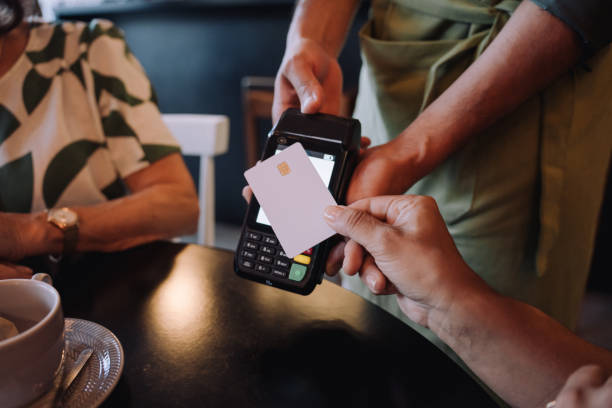
Picture this: You’re at a networking event, confidently tapping your sleek NFC business card against someone’s phone. In seconds, your information transfers seamlessly. But here’s the uncomfortable truth—that same convenience making you look tech-savvy could be exposing your most sensitive information to anyone with a smartphone. Before you load up your digital business card with every detail about yourself, let’s talk about what should absolutely stay off that tiny chip.
NFC business cards have revolutionized professional networking, eliminating the awkward shuffle of paper cards and the dreaded “I’m all out” moment. These smart cards use Near Field Communication technology to instantly share your contact details with a simple tap. They’re convenient, eco-friendly, and undeniably impressive. But convenience comes with a catch. Unlike traditional business cards that only reveal information when physically handed over, NFC cards can be scanned by anyone who gets close enough—sometimes without your knowledge or consent.
The digital nature of these cards creates a permanent record that’s difficult to update or control once distributed. Your data isn’t just sitting in someone’s wallet drawer; it’s potentially stored across multiple devices, synced to cloud services, and accessible in ways you never anticipated. Understanding what information to protect isn’t just about privacy—it’s about safeguarding your identity, finances, and personal security in an increasingly connected world.
Your Social Security Number and Government IDs
This might seem obvious, but you’d be surprised how many people include partial government identification numbers on digital profiles, thinking truncated versions are safe. Your Social Security Number, passport number, driver’s license number, or any government-issued identification should never appear on your NFC business card under any circumstances.
These numbers are the keys to your identity kingdom. With your SSN alone, criminals can open credit accounts, file fraudulent tax returns, obtain medical services in your name, and commit a cascade of identity theft crimes that could take years to untangle. Even partial numbers provide clues that sophisticated fraudsters can use alongside other data breaches to piece together your full information.
Government IDs serve as verification tools across countless systems—banks, healthcare providers, government agencies, and more. Once compromised, changing these numbers is extraordinarily difficult, often requiring extensive documentation of fraud and bureaucratic navigation. Your NFC card should focus solely on facilitating professional connections, not serving as a comprehensive identity document. Keep these sacred numbers in secure, encrypted storage—never on a device that broadcasts information wirelessly.
Financial Account Information
Your bank account numbers, credit card details, PayPal information, Venmo handles (when linked to financial details), or any payment processing information has no business residing on an NFC business card. The risk-to-reward ratio here is catastrophically skewed toward disaster.
Financial account numbers are direct pipelines to your money. While modern banking includes fraud protection, dealing with unauthorized transactions is stressful, time-consuming, and can temporarily freeze your access to funds you need for daily life. Even if you think sharing your Venmo handle is harmless for easy payment collection, you’re potentially exposing transaction history, friend lists, and patterns that reveal personal information.
Some professionals argue they want to make it easy for clients to pay them, but there are far safer methods than broadcasting financial details. Instead, direct contacts to secure payment portals, invoice systems, or professional platforms designed with encryption and fraud protection. Your NFC card can include a link to a payment page, but never the raw financial data itself. Remember, once information is on an NFC card, you can’t monitor who accesses it or control what they do with it afterward.
Your Home Address and Detailed Location Data
While including a business address might seem standard, your residential address should be treated as classified information. Many professionals work from home or use their home as their registered business address without thinking through the implications of broadcasting this information to everyone they meet.
Your home address reveals far more than just where you live. It discloses your neighborhood, approximate property value, whether you own or rent, proximity to schools, and creates a physical target for unwanted visitors. In our connected world, someone can combine your home address with social media posts, public records, and other data points to build a detailed profile of your life, habits, and vulnerabilities.
Stalking, burglary, and physical harassment all begin with knowing where someone lives. Even well-intentioned networking contacts might share your card (and thus your address) with others without your consent. If you need to provide a mailing address, use a P.O. box, virtual office address, or business location separate from your residence. For service providers who need to visit clients, provide your home address only after vetting the client and establishing a trusted relationship—not during the initial tap-to-connect moment.
Personal Email Addresses and Private Phone Numbers
There’s a crucial distinction between professional and personal contact information. Your personal email address—the one you use for online shopping, family correspondence, and social media accounts—should never appear on your NFC business card, even if you’re a solopreneur managing everything from one inbox.
Personal email addresses become targets for phishing attacks, spam campaigns, and social engineering attempts. When your professional and personal identities blur, hackers can exploit professional contacts to launch attacks against your personal accounts. If your personal email follows a predictable pattern (firstname.lastname@provider.com), it’s especially vulnerable to credential stuffing attacks where criminals try the same password across multiple platforms.
Similarly, your personal cell phone number deserves protection. Once distributed widely, you lose control over who can reach you, when, and for what purpose. Marketing databases harvest phone numbers aggressively. You might end up fielding sales calls during family dinner, receiving texts from strangers, or worse—becoming a target for SIM swapping attacks that can compromise two-factor authentication systems.
Instead, establish professional-only contact channels. Create a dedicated business email, use a Google Voice number or business line, and keep your personal contacts truly personal. This separation also helps maintain work-life balance, allowing you to disconnect when needed without missing important professional communications.
Passwords, PINs, and Security Credentials
It sounds absurd, but people do encode passwords and security information in their digital profiles, often disguised as “notes” or “reminders” they think are cleverly hidden. Under no circumstances should any password, PIN, security question answer, or access credential appear on your NFC business card.
Even encrypted passwords shouldn’t be stored on these cards because NFC technology isn’t designed for high-security encryption. The chips in business cards prioritize compatibility and ease of access over military-grade security. Any encryption used can potentially be broken, especially as computing power increases and quantum computing becomes more accessible.
Some people store password hints or patterns, thinking these are safe. They’re not. Social engineering experts can extract meaning from the vaguest hints, especially when combined with information from social media, public records, and data breaches. Your security credentials should exist only in secure password managers with strong encryption, two-factor authentication, and regular security audits.
This extends to API keys, authentication tokens, private encryption keys, or any access credentials for systems and platforms you use. Professional developers sometimes store these for quick access—a practice that could compromise entire systems if those credentials fall into the wrong hands.
Biometric Data and Medical Information
Your fingerprints, facial recognition data, iris scans, voice recordings, or any biometric identifiers should never be stored on an NFC business card. Unlike passwords, you can’t change your biometrics when they’re compromised. They’re permanent features that could be replicated or spoofed to access systems designed to recognize you.
Medical information is equally sensitive and protected by regulations like HIPAA in the United States. Your health conditions, medications, allergies, medical history, insurance information, or healthcare provider details have no place on a networking tool. Medical identity theft is a growing crime where thieves use stolen health information to obtain medical services, prescription drugs, or file fraudulent insurance claims.
Some professionals in healthcare mistakenly believe sharing credentials or affiliations requires including medical facility access information. It doesn’t. You can note your professional affiliation with a hospital or clinic without including employee IDs, access codes, or system login information.
Even seemingly innocuous medical details like “Type 1 Diabetic” or “Allergic to Penicillin” create vulnerabilities. This information could be used for targeted phishing (“Your pharmacy called about your insulin prescription”), discrimination, or social engineering attacks. Emergency medical information belongs in secure health apps and physical medical alert jewelry—not on business networking tools.
Family Information and Personal Relationships
Details about your spouse, children, parents, siblings, or other family members should remain private. This includes their names, ages, schools, workplaces, photos, or any identifying information. Family details might seem like harmless conversation starters, but they’re goldmines for social engineers and criminals.
Knowing you have children reveals potential leverage points for manipulation. Criminals use child-related emergencies as pretexts for urgent scams: “Your daughter was in an accident and needs immediate medical payment.” Schools your children attend create physical locations where family members can be targeted or observed. Spouse employment information can be used to craft convincing impersonation scenarios.
Relationship details also expose your social network and connections. Mentioning that your brother works at a specific company could be used to manufacture fake referrals or insider threats. Personal relationships represent emotional vulnerabilities that sophisticated attackers exploit ruthlessly.
This extends to photos. That adorable picture of your kids that you think humanizes your professional brand? It’s also a photo that strangers now possess, can share, or potentially misuse. Keep family life separate from professional networking. The people you meet at conferences don’t need to know about your personal life to do business with you effectively.
Social Media Passwords and Private Account Links
While linking to professional social media profiles (LinkedIn, professional Twitter/X accounts, industry-specific platforms) is common and appropriate, never include login credentials or links to private, personal social media accounts. Your personal Facebook, Instagram, TikTok, or dating profiles should remain completely separate from professional networking.
Personal social media contains a treasure trove of exploitable information—your daily routines, vacation schedules (when your home is empty), personal relationships, political views, hobbies, financial status indicators, and unguarded moments. This information can be weaponized for targeted phishing, social engineering, or simply monitoring your life in ways you never intended.
Even “friends only” profiles aren’t truly private once you’ve shared access credentials or profile links widely. Screenshots can be taken, information can be shared outside the platform, and privacy settings change regularly—often without clear notification. What you shared privately yesterday might be publicly visible tomorrow due to a platform update or setting change you didn’t notice.
For professionals who use social media for business, create dedicated business accounts separate from personal ones. You can link to your professional Instagram showcasing your work without exposing the personal account where you share family vacation photos. This separation protects your privacy while maintaining your professional presence.
Date of Birth and Age-Related Information
Your exact date of birth is a critical piece of identity verification information used by virtually every financial institution, government agency, and secure system. While sharing your birth month and day for birthday wishes might seem harmless, including your birth year creates serious security risks.
Date of birth is commonly used as a security question answer, identity verification checkpoint, or password component. Combined with your name and city, your birth date can unlock access to numerous accounts and systems. It’s also used to generate Social Security Numbers in some cases, making it a piece of the identity theft puzzle.
Age discrimination is real, both for being “too young” and “too old” in various industries. Broadcasting your age through birth date information can unconsciously bias potential contacts before they’ve evaluated your actual qualifications and experience. Professional relationships should be built on competence and value, not age-based assumptions.
If you want to acknowledge birthdays or create a personal connection, you might share just the month and day without the year. Better yet, keep this information entirely off your business card and share it personally with contacts you actually develop relationships with over time.
Login Credentials for Business Accounts
Even for business or professional accounts, login usernames, passwords, or access credentials shouldn’t appear on your NFC card. This includes access to your company’s client portal, project management systems, cloud storage, or any platform requiring authentication.
You might think, “But I’m sharing my LinkedIn username for connection!” That’s fine—public profile links are designed to be shared. The problem is actual login credentials that grant access to accounts, systems, or data. Even if you’re trying to help clients access a shared resource, use secure credential sharing systems, not your networking business card.
Company access credentials represent potential breaches that could affect not just you but entire organizations, colleagues, clients, and partners. Many companies have policies explicitly prohibiting the sharing of credentials through unsecured channels. Violating these policies could result in termination and legal liability if a breach occurs.
For legitimate credential sharing with clients or partners, use encrypted password management systems designed for this purpose, like LastPass Teams, 1Password Business, or similar enterprise solutions. These platforms create audit trails, allow controlled access, and can immediately revoke credentials when relationships end or security is compromised.
Tax Information and Financial Documents
Tax identification numbers, EIN (Employer Identification Numbers), detailed financial statements, tax return information, or any sensitive financial documentation should never be stored on or linked from your NFC business card. While you might need to provide this information in specific business contexts, broadcast distribution isn’t appropriate.
Your EIN might seem like just a business identifier, but it can be used to file fraudulent tax returns, open business credit accounts, or commit various forms of business identity theft. If someone needs your EIN for legitimate purposes (like issuing a 1099 form), provide it through secure, direct communication after establishing the legitimate business relationship.
Financial documents reveal your income, expenses, profit margins, business relationships, and strategic information competitors would love to access. They also contain personally identifiable information, account numbers, and details that facilitate fraud. These documents belong in secure, encrypted storage with controlled access—not attached to a networking tool that anyone can scan.
Some professionals think including links to portfolio work that happens to contain financial case studies is fine if numbers are “anonymized.” Be extremely careful here. Even with numbers changed, business structures, strategies, and patterns can identify real companies and reveal confidential information that violates non-disclosure agreements or ethical standards.
Private Communication Platform Details
Your personal Discord server, Slack workspace login, WhatsApp number, Telegram handle, Signal contact, or other private communication platform identifiers should generally remain separate from your broadly distributed business card. These platforms often blend personal and professional use in ways that aren’t appropriate for general networking.
Private messaging platforms create an intimacy and directness that you might not want with every person who taps your NFC card. While you might want to give your WhatsApp to close business contacts, having it scanned by hundreds of conference attendees creates an overwhelming influx of messages you can’t effectively manage.
Many of these platforms reveal online status, profile photos, status messages, and “last seen” information that chips away at your privacy. Your personal Telegram might show that you’re online at 2 AM, revealing sleep patterns and personal habits to business contacts. Your Discord might connect to gaming communities or personal interest servers you’d rather keep separate from professional networking.
Instead, include professional platforms designed for business communication—like LinkedIn messaging, professional email, or your business phone line. You can always share more direct communication methods with specific contacts as relationships develop and trust is established. Not every networking connection needs immediate access to your most direct communication channels.
What You Should Include Instead
Now that we’ve covered what to avoid, let’s talk about what actually belongs on your NFC business card. Focus on professional, public-facing information designed specifically for business networking: your professional name, job title, company name, business website, professional email, business phone number, LinkedIn profile, and perhaps your professional social media accounts.
Consider including links to your professional portfolio, published work, company landing page, or booking calendar. These provide value to contacts while maintaining appropriate boundaries. A well-designed digital business card should facilitate professional connection and communication without oversharing personal information.
You might also include a professional photo (not a casual selfie), your professional tagline or value proposition, and links to relevant professional content like podcasts, YouTube channels, or blogs—assuming these maintain professional standards and don’t blend into personal territory.
The goal is strategic sharing. Every piece of information should serve a clear professional purpose and undergo the “reasonable stranger” test: Would you be comfortable with a reasonable stranger having this information permanently? If there’s any hesitation, leave it off.
FAQ Section
Q: Can I include my cell phone number if it’s also my business number?
Yes, if you’re comfortable with that number being broadly distributed and potentially added to marketing lists. Consider the volume of calls you might receive and whether you want work contacts able to reach you 24/7. Many professionals find setting up a separate business line (even a Google Voice number) provides better control and work-life balance.
Q: Is it safe to link to my website if it contains contact forms?
Absolutely. Contact forms on your website are designed for this purpose and typically include spam protection, validation, and controlled communication channels. This is actually preferable to directly sharing email addresses because you maintain control over the communication flow and can filter messages before they reach your inbox.
Q: What about my business address if I operate from a co-working space?
Co-working space addresses are generally safer than home addresses because they’re shared commercial spaces. However, consider whether you want everyone you meet to know your daily location. You might use the co-working space address but omit suite or desk numbers, or simply use the city and state without a full street address.
Q: Should I include my professional certifications and license numbers?
Include the certification names and titles (CPA, MD, PhD, etc.) but avoid the actual license numbers. These numbers can be verified through public databases when necessary, but don’t need to be broadcast on your business card. The credential itself conveys legitimacy; the number is for verification in specific contexts.
Q: Can I include links to my portfolio if some projects are under NDA?
Only include publicly viewable portfolio work. Never link to confidential projects, even if you’ve anonymized some details. If your best work is under NDA, create case studies that describe your role and impact without revealing client-specific information, or wait until the NDA period expires before showcasing that work.
Q: Is it okay to include my preferred pronouns on my NFC card?
Yes, preferred pronouns (she/her, he/him, they/them, etc.) are becoming standard professional information similar to your name pronunciation or nickname. This helps contacts communicate respectfully and doesn’t pose security risks like financial or identifying information does.
Q: What if someone asks for sensitive information after scanning my card?
Legitimate business contacts will understand appropriate boundaries and timeline for sharing sensitive information. If someone pressures you for information like your home address, SSN, or financial details immediately after networking, that’s a red flag. Provide such information only through secure channels after establishing legitimate business relationships and verifying their needs.
Q: How often should I review what’s on my NFC business card?
Review your NFC card contents at least quarterly or whenever you update business information. Technology, privacy standards, and security best practices evolve constantly. What seemed fine a year ago might pose new risks today. Regular audits ensure your card remains both effective and secure.
Author

john@gmail.com
Related Posts

Criminal Court Process Pakistan: A Complete Guide from FIR to Final Verdict
Pakistan’s criminal justice system is designed to ensure fairness, accountability, and adherence to the rule of law. That is why understanding the...
Read out allExperience Dubai in Style: Rent a Luxury Audi in Dubai
Dubai is a city where luxury meets innovation. From iconic skyscrapers to stunning beaches and world-class entertainment, the city offers experiences that...
Read out allInsurance Confusion During Vehicle Shifting – What You Must Check
Vehicle shifting insurance baffles many in Nagpur, leading to denied claims and shock bills. Comprehensive motor policies don’t cover transit—enter car shifting service...
Read out all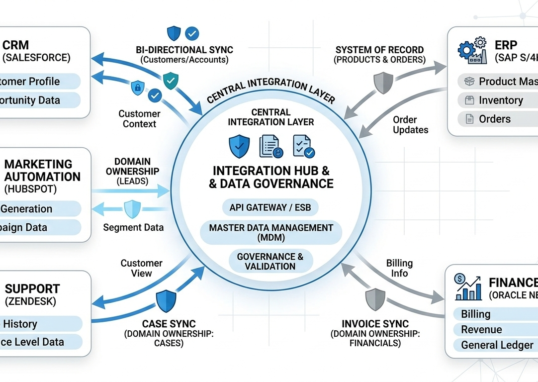
Data Ownership Models in Multi-System Integrations
Modern organizations operate in complex digital ecosystems. Customer data flows across CRM platforms, ERP systems, marketing automation tools, finance software, and support...
Read out all
Plumbers Near Me: Trusted Local Experts for Fast Repairs
Finding a trustworthy plumber near me saves time, money, and stress when a leak or clog disrupts your day. Look for licensed local...
Read out all
Residential Snow Removal Near Me: Trusted Local Service for Home Driveways
When snow threatens your driveway and walkways, you want a fast, reliable solution you can hire today. You can find local residential snow...
Read out all